
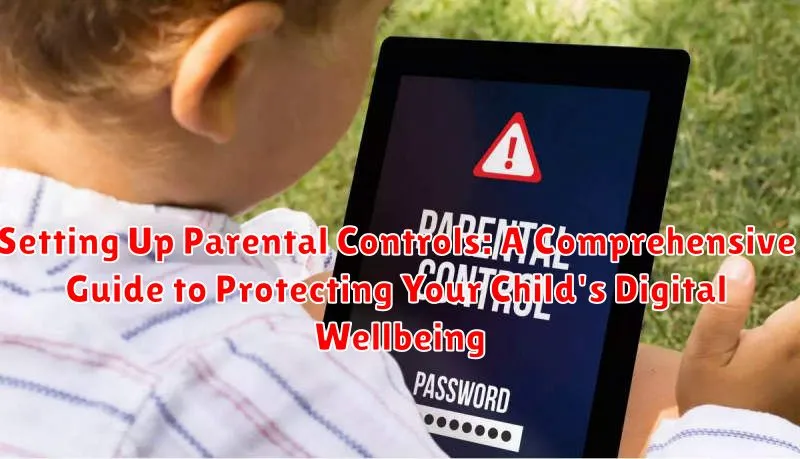
In today’s interconnected world, children are exposed to a vast digital landscape filled with both opportunities and risks. Protecting your child’s digital wellbeing is of paramount importance. This comprehensive guide on setting up parental controls will equip you with the knowledge and tools to create a safer online environment for your children. We’ll cover everything from understanding the importance of parental controls to practical steps for implementing them across various devices and platforms, addressing key concerns such as screen time management, content filtering, and online privacy.
This guide aims to empower you to navigate the complexities of the digital world and make informed decisions about your child’s online safety. Whether you are concerned about cyberbullying, exposure to inappropriate content, or simply want to establish healthy digital habits, this guide provides practical advice and step-by-step instructions. Learn how to effectively use parental control software, configure device settings, and communicate openly with your child about online safety. Take proactive steps to safeguard your child’s digital wellbeing and foster a positive and productive online experience.
Why Parental Controls Are Essential
In today’s interconnected world, children are exposed to a vast amount of digital content and online interactions. While the internet offers incredible learning and entertainment opportunities, it also presents potential risks to their safety and well-being. Parental controls act as a crucial safeguard, providing parents with the tools to manage and mitigate these risks effectively.
Protecting children from inappropriate content is a primary reason for implementing parental controls. Exposure to violence, sexually explicit material, or hate speech can be detrimental to a child’s development and emotional well-being. Parental controls empower parents to filter and block access to such content, ensuring a safer online experience.
Preventing cyberbullying and online harassment is another critical benefit. Parental controls can restrict access to social media platforms and online gaming communities where cyberbullying often occurs. Monitoring online interactions can also help parents identify and address potential issues before they escalate.
Managing screen time and promoting healthy digital habits is also facilitated by parental controls. Excessive screen time can negatively impact sleep, academic performance, and social skills. Setting time limits and scheduling device usage can help children maintain a healthy balance between online and offline activities.
Choosing the Right Parental Control Features
Selecting the right parental control features is crucial for effectively managing your child’s online experience. Consider your child’s age, maturity level, and individual needs when making your choices. Content filtering is a foundational feature, allowing you to block inappropriate websites and content categories. Look for options to customize filtering levels based on age ranges or specific keywords.
Time limits are essential for managing screen time and promoting healthy digital habits. Many parental control systems offer scheduling features to define specific times when devices or apps can be accessed. App management tools allow you to control which apps can be installed and used, and some even provide usage monitoring.
Location tracking, while sometimes controversial, can provide peace of mind for parents of younger children. This feature allows you to monitor your child’s whereabouts and ensure their safety. Communication monitoring features can range from tracking contacts and call logs to monitoring social media interactions, depending on the platform and your chosen level of oversight.
Setting Up Parental Controls on Different Devices
Computers (Windows/macOS): Most operating systems offer built-in parental control features. In Windows, you can create separate accounts for your child with restricted access. macOS offers similar functionality through “Screen Time” in System Preferences, allowing you to manage app usage, content access, and communication limits.
Mobile Devices (iOS/Android): Both iOS and Android provide robust parental control options. On iPhones and iPads, “Screen Time” lets you set app limits, restrict content, and manage in-app purchases. Android devices have “Family Link,” which allows you to monitor activity, set time limits, and approve app downloads remotely.
Game Consoles (PlayStation/Xbox/Nintendo Switch): Modern gaming consoles also include comprehensive parental control settings. These features often allow you to manage online interactions, restrict game purchases, and control playtime.
Streaming Devices (Roku/Fire TV/Apple TV): Many streaming devices offer the ability to create profiles with restricted access to certain apps, channels, or content ratings. Consult your specific device’s documentation for setup instructions.
Monitoring App Usage and Screen Time
Keeping track of your child’s app usage and screen time is crucial for ensuring a healthy digital diet. Many parental control solutions provide detailed reports on which apps are being used, how long they are being used for, and when they are being accessed. This information can help you identify potentially problematic app usage and adjust screen time limits accordingly.
Time limits can be set for individual apps or for overall device usage. Schedules can also be implemented to restrict access during certain times, such as bedtime or school hours. Some systems allow for “downtime” periods where all device usage is blocked, promoting family time and healthy sleep habits.
Usage reports offer valuable insights into your child’s digital habits. Reviewing these reports regularly can help you understand how they are spending their time online and identify any emerging trends. This information can be used to start conversations about healthy technology use and create a balanced approach to digital engagement.
Managing Content Access and Filtering
Content filtering plays a crucial role in protecting children from inappropriate online material. Utilize available tools to restrict access to websites, apps, and other digital content based on age appropriateness, category, or specific keywords.
Most parental control software allows customization of filter settings. You can typically block access to categories such as pornography, gambling, violence, and hate speech. Some services also offer the ability to create custom block lists for specific websites or keywords.
Consider using safe search options provided by search engines. These features filter out explicit content from search results, providing a safer browsing experience for children.
Be aware that no filter is perfect. Regularly communicate with your child about their online activities and encourage them to report any unsettling content they encounter. Open communication fosters trust and helps maintain a safe digital environment.
Monitor and adjust filter settings as your child grows and their online needs evolve. Staying involved and informed is key to effectively managing content access and protecting your child’s online experience.
Creating a Safe Online Environment
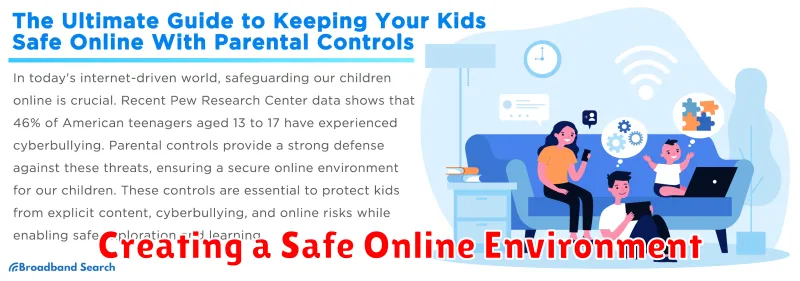
Creating a safe online environment for your child involves a multi-faceted approach that combines utilizing parental control tools with establishing clear family internet usage rules. Filtering software can block inappropriate content, restrict access to certain websites, and limit screen time. It’s crucial to select age-appropriate filters and adjust them as your child grows.
Beyond software, consider the physical placement of devices. Keeping computers in shared family spaces allows for easier monitoring of online activity. Open communication with your child about online safety is paramount. Discuss potential online risks, such as cyberbullying and phishing scams, and empower them to make responsible online choices.
Establish clear expectations for online behavior, including rules about sharing personal information, interacting with strangers, and appropriate online content consumption. This clear framework helps establish a safe and productive online experience for your child.
Tips for Effective Communication with Your Child
Open and honest communication is crucial for ensuring your child’s online safety. Talk regularly with your child about their online experiences, both positive and negative. Encourage them to share any concerns they may have, whether it’s cyberbullying, inappropriate content, or interactions with strangers.
Active listening is vital. Avoid interrupting and truly listen to their perspectives. This builds trust and makes them more likely to confide in you in the future. Ask open-ended questions to encourage deeper conversations about their online activities.
Educate your child about potential online dangers and responsible digital citizenship. Explain why parental controls are in place, emphasizing that it’s about their safety, not about restricting their freedom unnecessarily. Frame the conversation as a partnership, working together to create a safe and enjoyable online experience.
Establish clear expectations and rules for online behavior. Discuss appropriate screen time limits, acceptable websites and apps, and the importance of protecting personal information. Be consistent in enforcing these rules to reinforce their importance.
Reviewing and Adjusting Parental Controls Regularly
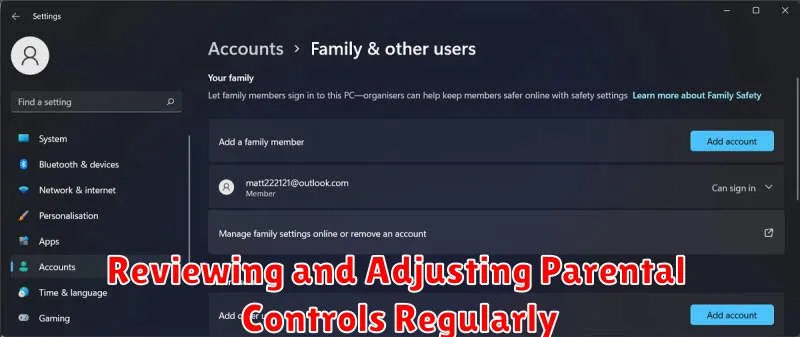
Parental controls aren’t a set-it-and-forget-it solution. As your child grows and their online activities evolve, you need to regularly review and adjust the settings to ensure they remain effective and appropriate.
Consider these factors when reviewing your settings:
- Age and Maturity: As children mature, they require more digital freedom. Adjust controls to reflect their growing understanding of online safety and responsibility.
- Changing Interests: Your child’s online interests will shift over time. Ensure the controls align with their current activities, allowing access to beneficial resources while blocking inappropriate content.
- New Technologies and Platforms: The digital landscape is constantly evolving. Stay informed about new apps, games, and platforms your child might be using and adjust controls accordingly.
- Feedback from Your Child: Open communication is key. Discuss the controls with your child, address their concerns, and explain the reasons behind the restrictions. This collaborative approach can lead to a more positive and effective online experience.
Aim to review and adjust your parental control settings at least every few months, or more frequently as needed. This proactive approach helps maintain a safe and balanced online environment for your child.
Balancing Freedom and Safety
Finding the right balance between allowing your child online freedom and ensuring their safety is crucial. Overly restrictive controls can hinder their development and ability to navigate the digital world responsibly. Conversely, excessive freedom can expose them to inappropriate content and online risks.
Open communication is key. Discuss online safety with your child and explain the reasons behind the parental controls you implement. Encourage them to ask questions and share their online experiences with you.
Age-appropriate freedom should be considered. Younger children typically require stricter controls than teenagers. As they mature, gradually grant them more autonomy online, while continuing to monitor their activity and provide guidance.
Establish clear expectations and consequences. Create a family agreement outlining acceptable online behavior, including time limits, website restrictions, and online communication guidelines. This provides structure and helps your child understand the boundaries.
