
Tired of incessant robocalls interrupting your dinner? Exasperated by spam texts filling your phone’s memory? You’re not alone. Unwanted calls and texts, collectively known as spam, are a pervasive problem impacting millions. This comprehensive guide offers practical strategies to help you stop the spam, reclaim your peace, and take control of your communication devices. We’ll delve into effective methods for blocking unwanted calls and blocking unwanted texts, covering everything from built-in phone features to third-party apps. Learn how to identify spam calls and spam texts, understand the regulations surrounding them, and empower yourself to fight back against this digital nuisance.
This guide will equip you with the knowledge and tools necessary to effectively block spam calls and block spam texts. Whether you’re dealing with robocalls, telemarketers, or fraudulent text messages, we’ll provide step-by-step instructions and actionable advice to help you navigate the complexities of spam blocking. From understanding call blocking features on your smartphone to exploring call filtering apps and registering with the National Do Not Call Registry, this guide will cover all aspects of stopping spam. Take back control of your phone and your privacy – learn how to block unwanted calls and texts today.
Identifying Spam Calls and Messages
Recognizing spam communication is the first step in protecting yourself. Several key indicators can help you identify these unwanted intrusions.
Unknown Numbers: Calls or texts from numbers you don’t recognize, especially those with unusual formatting or from out-of-state area codes, should be treated with caution.
Generic Greetings: Spam messages often use impersonal greetings like “Dear customer” or “Valued recipient” instead of your name.
Pressuring Language: Be wary of messages that create a sense of urgency, demanding immediate action or threatening negative consequences.
Suspicious Links or Attachments: Never click on links or open attachments from unknown senders, as they may contain malware or lead to phishing websites.
Offers that Seem Too Good to be True: Exercise skepticism towards promises of free prizes, incredible deals, or guaranteed financial gains, as these are common tactics used in spam campaigns.
Using Built-in Phone Features to Block Spam
Modern smartphones offer a range of built-in features designed to combat spam calls and messages. These tools can be highly effective and often don’t require installing additional applications.
Call Blocking: Most phones allow you to directly block specific numbers. This is usually accessible through your recent calls list or contact details. Simply find the offending number and select the option to block. This prevents future calls and often texts from that number.
Silence Unknown Callers: This feature, available on many operating systems, silences calls from numbers not saved in your contacts. These calls are sent directly to voicemail, allowing you to review them later if necessary. This can significantly reduce interruptions from unknown or suspected spam callers.
Caller ID and Spam Identification: Some phones provide advanced caller ID features that may identify suspected spam calls. These identifications may be based on reports from other users or known spam number databases. While not always perfectly accurate, these can be helpful in screening calls.
Exploring Third-Party Spam Blocking Apps
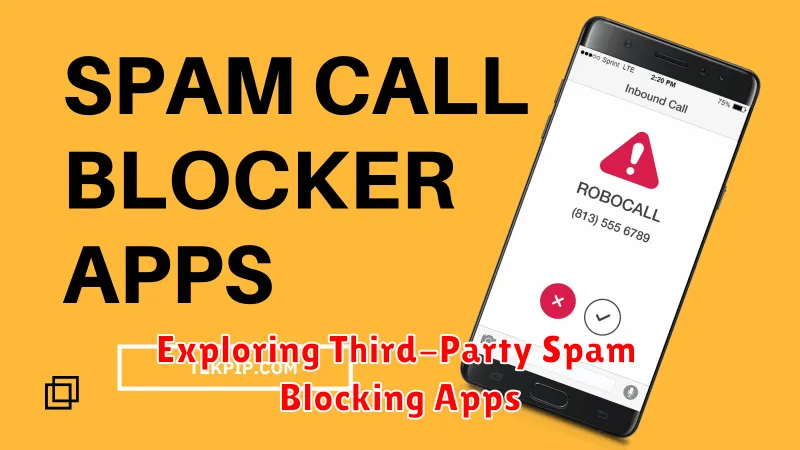
Beyond your phone’s built-in features, a wide array of third-party apps offer advanced spam blocking capabilities. These apps often leverage extensive databases of known spam numbers and employ sophisticated algorithms to identify and filter unwanted calls and texts.
Many popular apps provide features like caller ID, spam identification, and automatic blocking. Some apps even allow users to customize block lists and create personal filters based on keywords or area codes.
When considering a third-party app, it’s important to research its features, user reviews, and privacy policies. Some apps may require access to your contacts or call logs, so choose a reputable app that prioritizes your privacy.
Choosing the Right App
Consider the following factors when selecting a third-party spam blocking app:
- Effectiveness: Look for apps with a proven track record of successfully blocking spam.
- Features: Determine which features are most important to you, such as caller ID, automatic blocking, and customizable filters.
- Compatibility: Ensure the app is compatible with your device and operating system.
- Privacy: Review the app’s privacy policy to understand how your data will be used.
- Cost: Some apps are free, while others offer premium features with a subscription fee.
Reporting Spam Calls and Texts to Your Carrier
Reporting spam calls and texts to your wireless carrier is a crucial step in combating unwanted communications. It helps your carrier identify patterns and trends, allowing them to implement more effective spam blocking solutions for all their subscribers. Reporting spam also helps protect others from falling victim to potential scams or fraudulent activities.
The methods for reporting spam vary slightly depending on your carrier. However, the most common methods include:
- Forwarding the message: Most carriers allow you to forward spam text messages directly to a short code (e.g., 7726 for “SPAM”). This method is quick and simple, providing your carrier with direct evidence of the unsolicited communication.
- Using online reporting tools: Many carriers provide online portals or apps where you can report spam calls and texts by entering the originating number and providing additional details about the communication.
- Contacting customer support: If you’re unsure how to report spam through other channels, you can always contact your carrier’s customer support directly. They can guide you through the reporting process.
By consistently reporting spam, you contribute to a safer and less intrusive communication environment for yourself and other subscribers.
Registering Your Number on the National Do Not Call Registry
The National Do Not Call Registry is a valuable tool in combating unwanted telemarketing calls. Registering your landline and mobile numbers can significantly reduce the number of these calls you receive.
Registering your number is a simple process. You can register online or by phone. For online registration, visit the official registry website. By phone, dial 1-888-382-1222 from the number you wish to register.
It’s important to understand that registration does not stop all unwanted calls. Political calls, charitable solicitations, debt collection calls, informational calls, and surveys are generally exempt. Additionally, companies you have an existing business relationship with may still contact you.
After registering, it may take up to 31 days for telemarketing calls to diminish noticeably. If you continue to receive illegal telemarketing calls after this period, you can file a complaint with the Federal Trade Commission (FTC).
Advanced Spam Blocking Techniques for Persistent Spammers
For particularly persistent spammers, basic blocking methods may prove insufficient. In these cases, exploring more advanced techniques can offer greater control and protection.
Leveraging Third-Party Apps
Numerous apps specialize in spam identification and blocking. These apps often utilize extensive databases of known spam numbers and employ sophisticated algorithms to predict and filter out spam calls and texts. They may also offer features like reverse number lookup to help identify unknown callers.
Reporting Spam Numbers
Reporting spam numbers to your carrier and relevant authorities can contribute to larger spam-fighting efforts. This helps identify trends and patterns, enabling carriers and app developers to update their spam filters more effectively.
Exploring Carrier-Specific Features
Many carriers provide advanced spam blocking features beyond basic call blocking. Contact your carrier to inquire about these options, which may include enhanced spam filters, automatic call screening, or number blocking services.
Managing Spam Filters and Whitelists Effectively

Spam filters are your first line of defense against unwanted calls and texts. Regularly review and adjust your filter settings to ensure they’re effectively catching spam while avoiding blocking legitimate communications.
Most devices and carriers offer built-in spam filtering options. Explore these settings and customize them based on your needs. Consider enabling stricter filtering for unknown numbers or those marked as potential spam by your carrier.
Whitelisting is crucial for preventing accidental blocking of important contacts. Add frequently contacted numbers, businesses, and emergency services to your whitelist to guarantee they always get through.
Regularly review your whitelist and remove any outdated or unnecessary entries. This prevents potential exploitation by spammers who may try to spoof whitelisted numbers.
Staying Ahead of Spammers with Regular Updates
The fight against spam is an ongoing arms race. Spammers constantly evolve their tactics, so staying ahead requires proactive measures. Regularly updating your spam blocking tools is crucial for maintaining a strong defense.
Software updates often include improvements to spam detection algorithms, adding new number databases and refining filtering techniques. This allows your tools to identify and block even the latest spam strategies.
Check for updates to your phone’s operating system, spam blocking apps, and carrier services. Enable automatic updates whenever possible to ensure you’re always using the latest protection available.
Beyond software, regularly review your personal spam filters and whitelists. Ensure the numbers and addresses you’ve blocked are still relevant. Removing outdated entries and adding new suspicious numbers keeps your personalized protection current.
