
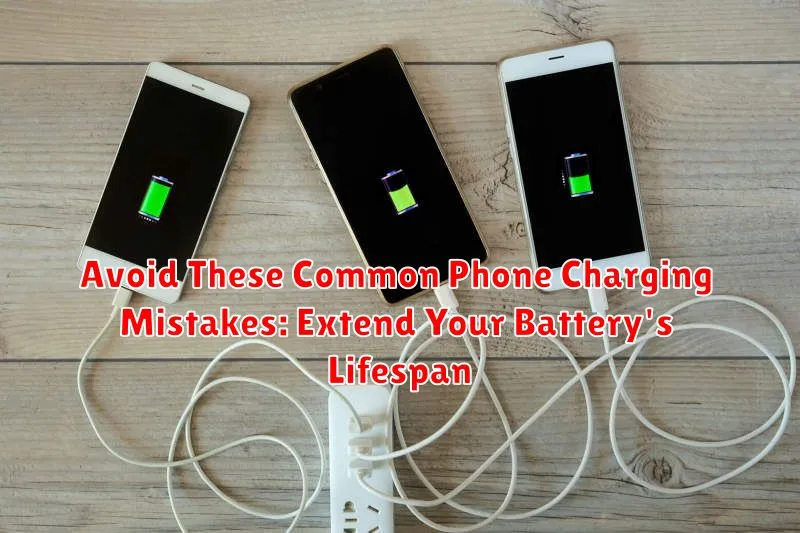
Are you tired of your phone constantly dying? Do you feel like you’re tethered to a wall outlet? You’re not alone. Many people unknowingly make common phone charging mistakes that significantly shorten their battery’s lifespan. This article will delve into the most prevalent charging errors and provide actionable advice on how to avoid them, helping you extend your battery’s lifespan and keep your phone powered up throughout the day. Learn how to charge your phone correctly and maximize its battery health.
From letting your battery drain to 0% to leaving your phone plugged in overnight, we’ll debunk common myths and reveal the best practices for phone charging. Understanding how to optimize your charging habits can make a significant difference in the long-term performance of your phone battery. Join us as we explore these common phone charging mistakes and equip you with the knowledge to prolong your battery life.
Using the Wrong Charger
While it might be tempting to grab any charger that’s handy, using the wrong charger can significantly impact your phone’s battery health. Incompatible chargers can deliver an incorrect voltage or amperage, leading to inefficient charging and potentially damaging the battery over time. Always opt for the charger that came with your phone.
If you need a replacement, choose a charger from a reputable manufacturer that’s specifically designed for your phone’s make and model. Check for certifications and ensure it matches the voltage and amperage requirements specified by your phone’s manufacturer. This will ensure optimal charging and help maintain your battery’s lifespan.
Using counterfeit or cheaply made chargers can be especially risky. These often lack proper safety features and may deliver unstable power, increasing the risk of overheating and even battery damage. Prioritize safety and performance by using a quality charger.
Overcharging Your Phone
A common misconception is that leaving your phone plugged in overnight drastically harms the battery. Modern smartphones use sophisticated power management systems that prevent overcharging in the traditional sense. Once the battery reaches 100%, the phone stops drawing power to prevent damage. However, keeping your phone at 100% charge for extended periods can still contribute to long-term battery degradation. Think of it like keeping a spring compressed – over time, it loses some of its elasticity.
While not as damaging as it once was, consistently keeping your phone at 100% charge can put stress on the battery. This stress can accelerate the natural aging process, leading to a gradual reduction in overall battery capacity. You might notice that your phone doesn’t hold a charge as long as it used to after a year or two of regular use, and this constant topping off can contribute to that decline.
A best practice is to unplug your phone once it reaches a full charge. If that’s not practical, try to keep the charge level between 30% and 80% for the majority of the time. This range is considered the sweet spot for lithium-ion batteries, minimizing stress and maximizing lifespan.
Letting Your Battery Drain Completely
Contrary to popular belief, completely draining your phone’s battery is detrimental to its long-term health. Modern lithium-ion batteries operate most efficiently within a partial discharge range. Deep discharges stress the battery, accelerating its degradation and diminishing its overall capacity over time.
Aim to keep your battery charge between 20% and 80% for optimal performance. While occasional full discharges won’t cause immediate harm, consistently allowing your battery to reach 0% will shorten its lifespan considerably.
Think of your phone’s battery like a car’s fuel tank. It’s better to refuel regularly rather than waiting until it’s completely empty. This approach ensures a more consistent power supply and minimizes wear on the internal components of the battery.
Charging Your Phone in Extreme Temperatures
Extreme temperatures, both hot and cold, can significantly impact your phone’s battery health and lifespan. Avoid charging your phone in excessively hot or cold environments. This includes leaving it in direct sunlight, in a hot car, or exposed to freezing temperatures.
High temperatures can cause the battery to overheat, potentially leading to irreversible damage and reduced capacity. Conversely, extremely cold temperatures can temporarily reduce battery performance and cause the phone to shut down unexpectedly.
Ideally, charge your phone in a moderate temperature environment. If you notice your phone becoming hot while charging, unplug it and let it cool down before resuming.
Using Your Phone While Charging
While convenient, using your phone while it’s charging can contribute to battery degradation over time. The combination of charging and discharging simultaneously generates excess heat, which is a major factor in reducing a battery’s overall lifespan. The increased heat accelerates chemical reactions within the battery, putting additional strain on its components.
While short bursts of activity likely won’t cause significant harm, extended use, especially with demanding applications like gaming or video streaming, can significantly elevate the temperature. This heat buildup is detrimental to long-term battery health.
If you must use your phone while charging, consider minimizing resource-intensive tasks. Choosing less demanding activities can help reduce the strain on your battery and mitigate the negative effects of heat.
Not Updating Your Software
It might seem unrelated, but software updates often include optimizations that improve battery performance. Manufacturers are constantly working to refine their software, and these updates frequently address battery consumption issues. Neglecting to install these updates can mean your phone is running less efficiently than it could be, potentially impacting your battery’s overall lifespan.
Outdated software can sometimes have bugs or inefficiencies that drain your battery faster than optimized, updated versions. By keeping your software current, you allow your device to operate at peak performance and take advantage of any battery-saving enhancements included in the updates.
Therefore, it’s essential to regularly check for and install software updates for your operating system and apps. This simple action can contribute significantly to maintaining optimal battery health.
Ignoring Battery Health Recommendations
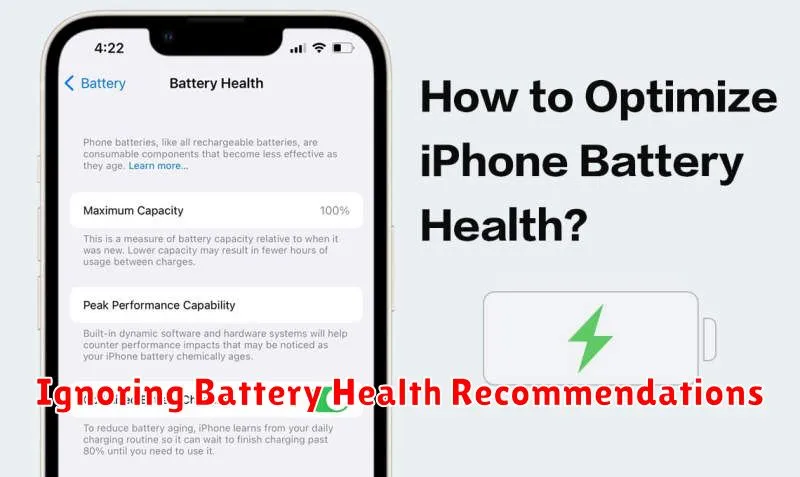
Modern smartphones offer built-in tools to monitor and manage battery health. Ignoring these recommendations can significantly shorten your battery’s lifespan. These features often provide insights into usage patterns and suggest optimizations.
For example, many phones will alert you to apps consuming excessive power in the background. Disabling background activity for infrequently used apps can make a noticeable difference. Similarly, some devices offer optimized charging features that learn your charging habits and prevent the battery from remaining at 100% charge for extended periods, which can degrade battery health over time.
Take the time to explore your phone’s battery health settings. Understanding these tools and acting on their recommendations is crucial for maximizing your battery’s lifespan and ensuring optimal performance.
Choosing the Right Charging Accessories

Using the correct charging accessories plays a vital role in preserving your battery’s health. Counterfeit or substandard chargers and cables can deliver inconsistent power, leading to overheating and long-term damage.
Always opt for chargers and cables that are certified by the manufacturer or reputable third-party organizations. These accessories undergo rigorous testing to ensure they meet safety and performance standards. While it might be tempting to choose a cheaper alternative, the potential harm to your battery outweighs any cost savings.
Consider using the charger that came with your phone as it is specifically designed for its battery. If a replacement is needed, choose a charger with the same power output. Using a charger with a significantly higher power output than recommended won’t necessarily charge your phone faster and could potentially generate excess heat.
Tips for Maintaining Battery Health
Beyond avoiding charging mistakes, proactive habits can significantly extend your battery’s lifespan. Temperature plays a crucial role; avoid exposing your phone to extreme heat or cold. High temperatures can degrade the battery much faster than normal, while extreme cold can temporarily reduce battery performance.
Optimize your phone’s settings. Reduce screen brightness, disable unnecessary background processes, and limit location services when not in use. These seemingly small adjustments can cumulatively save significant battery power over time.
Mindful charging practices also contribute to long-term battery health. Avoid consistently charging to 100% or letting the battery drain to 0%. The optimal charge level for lithium-ion batteries is generally between 20% and 80%.
