
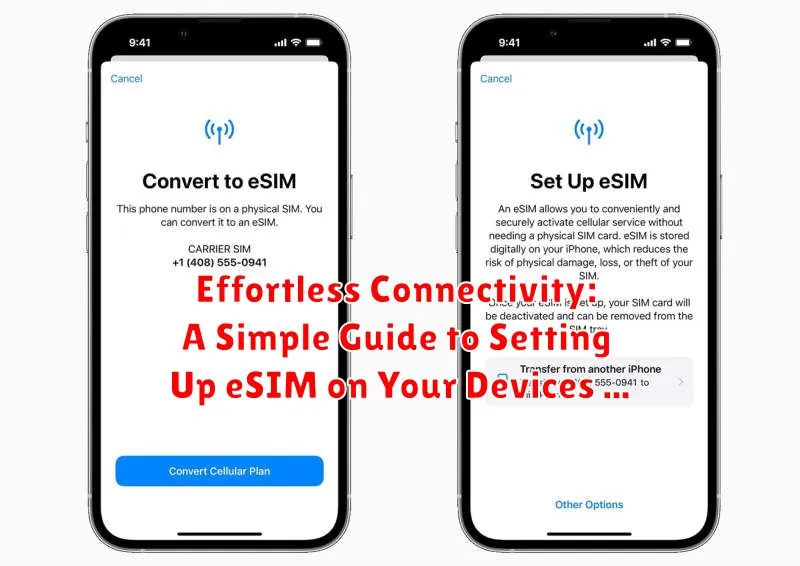
In today’s interconnected world, seamless connectivity is paramount. eSIM technology offers a convenient and efficient way to connect your devices to mobile networks without the need for physical SIM cards. This comprehensive guide will provide a clear and concise walkthrough of the eSIM setup process, enabling you to experience effortless connectivity across your various devices. Whether you’re setting up an eSIM on your smartphone, tablet, or smartwatch, this guide will equip you with the knowledge to navigate the process smoothly.
Embracing eSIM technology simplifies the process of switching carriers, managing multiple profiles, and traveling internationally. This guide will demystify the eSIM activation process, addressing common questions and providing step-by-step instructions for a hassle-free experience. Learn how to activate your eSIM profile, manage eSIM settings, and troubleshoot potential issues. From understanding eSIM compatibility to exploring the advantages of eSIM technology, this guide covers everything you need to know to embrace the future of connectivity.
What is an eSIM and How Does it Work?
An eSIM, or embedded SIM, is a digital SIM card that’s permanently embedded within your device. Unlike traditional physical SIM cards, you don’t need to physically swap them out to change carriers or plans.
Instead of a physical card, an eSIM uses a small chip inside your device to store your subscription information. This information is downloaded from your carrier over the air, making it easy to switch networks or activate a new plan without visiting a store or waiting for a physical card.
When you activate an eSIM, your device downloads a profile from your carrier. This profile contains the necessary data to connect you to their network. Think of it like downloading a configuration file that tells your device how to communicate with the cellular network.
Checking eSIM Compatibility with Your Device and Carrier
Before attempting eSIM activation, it’s crucial to verify compatibility with both your device and your wireless carrier. Not all devices or carriers support eSIM technology.
Device Compatibility
To check if your device supports eSIM, consult your device’s documentation or manufacturer’s website. Look for specifications or features that explicitly mention “eSIM” or “embedded SIM” support. Alternatively, you can often find this information within your device’s settings menu, typically under “Cellular” or “Mobile Data” options.
Carrier Compatibility
Confirming carrier compatibility is equally important. Contact your carrier directly or visit their website to determine if they offer eSIM services and whether your specific plan is eligible. Some carriers may have limitations or specific requirements for eSIM activation.
Activating Your eSIM Profile: Step-by-Step Instructions
Activating your eSIM profile is generally a straightforward process. These steps provide a general guideline. Specific instructions might vary slightly depending on your device and carrier.
Scanning the QR Code:
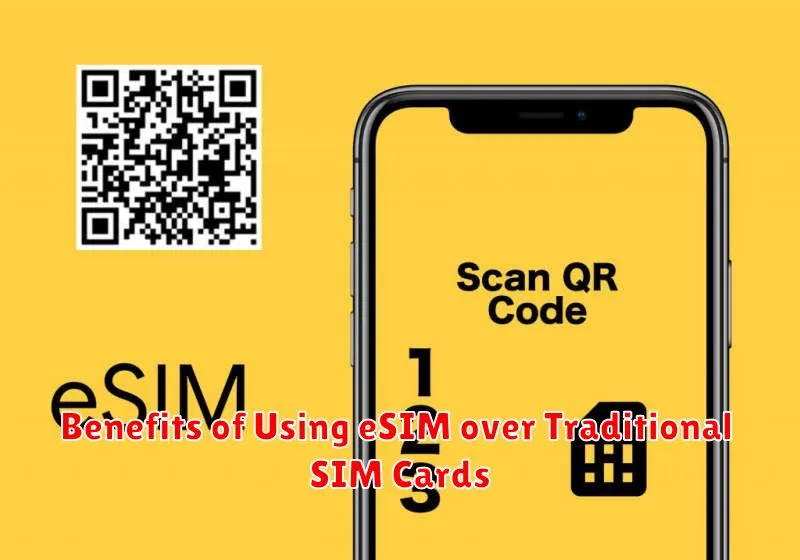
Most carriers provide a QR code to activate your eSIM. Open your device’s settings and locate the cellular or mobile data section. Look for the option to add a cellular plan. Your device will then prompt you to scan the QR code provided by your carrier. Ensure you are in a well-lit area for optimal scanning.
Manual Input:
If a QR code is unavailable, you can manually enter the activation details. This typically involves entering a SM-DP+ address and an activation code provided by your carrier. These details are usually found in your eSIM activation instructions.
Confirmation and Activation:
After scanning the QR code or manually entering the information, your device will connect to your carrier’s server to download and install the eSIM profile. Follow the on-screen prompts to confirm the activation and complete the setup. You may need to restart your device for the changes to take effect.
Managing Multiple eSIM Profiles on Your Device
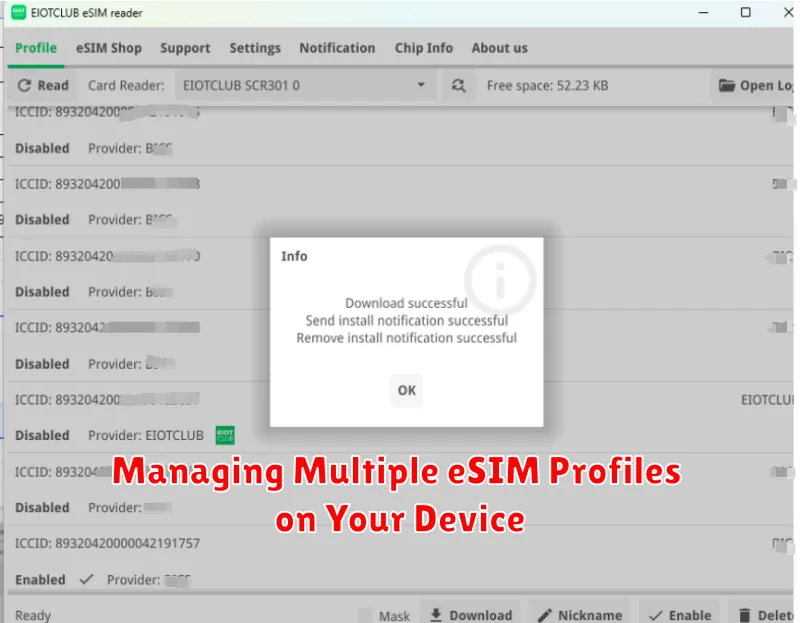
Many modern devices support multiple eSIM profiles, allowing you to store and switch between different carrier plans. This is particularly useful for international travelers or those who use separate plans for work and personal use.
Switching between profiles is typically done through your device’s settings menu. Look for a section dedicated to cellular or mobile data. Within this section, you should find a list of available eSIM profiles. Simply select the profile you want to use as your active data connection.
Renaming profiles can also be helpful for organization. Instead of generic names like “eSIM 1” or “eSIM 2”, consider labeling them with the carrier name or the purpose of the profile (e.g., “Work” or “Travel”).
While you can store multiple profiles, generally only one can be active for cellular data at a time. Some devices allow you to designate a specific profile for calls and SMS while another is active for data.
Troubleshooting eSIM Activation Issues
Occasionally, you might encounter issues during eSIM activation. This section provides solutions to common problems.
QR Code Not Scanning
Ensure the QR code provided by your carrier is clean and undamaged. Try increasing the screen brightness. If the issue persists, contact your carrier for a new QR code.
“Invalid Profile” Error Message
This error indicates the eSIM profile is not compatible with your device or carrier. Verify your device’s compatibility with your chosen carrier’s eSIM service. If compatible, contact your carrier to ensure they provided the correct profile.
“No Network Connection” After Activation
Check your cellular data settings. Ensure data roaming is enabled if you are traveling internationally. Restart your device. If the problem continues, contact your carrier to troubleshoot network connectivity issues.
eSIM Profile Not Downloading
A stable internet connection is required for eSIM profile downloads. Connect to a reliable Wi-Fi network. If using cellular data, ensure you have sufficient data allowance. If the download still fails, contact your carrier.
Transferring Your eSIM to a New Device
Transferring your eSIM to a new device is generally a straightforward process, but the exact steps may vary depending on your carrier and device operating system. Always consult your carrier’s specific instructions for the most accurate guidance.
Typically, the process involves deactivating the eSIM on your current device and then activating it on your new one. This often requires accessing your device’s settings menu and locating the cellular or mobile data section. Look for options related to eSIM management or SIM profiles.
You may need to scan a new QR code provided by your carrier or select your eSIM profile from a list on your new device. Ensure you have a stable internet connection during the transfer process. Some carriers might also require you to contact customer support to initiate or complete the eSIM transfer.
Benefits of Using eSIM over Traditional SIM Cards
eSIM technology offers several advantages over traditional physical SIM cards. Convenience is a key benefit. eSIMs eliminate the need to physically swap SIM cards when changing carriers or traveling internationally. This is particularly useful for frequent travelers or those with multiple devices.
Space saving is another advantage. By removing the physical SIM card slot, device manufacturers can create slimmer and more compact designs. This allows for more internal space for other components, potentially leading to improved battery life or other features.
eSIMs also offer enhanced security. They cannot be easily lost or stolen like physical SIM cards, reducing the risk of unauthorized access to your mobile account. Furthermore, the digital nature of eSIMs makes it easier to switch profiles and manage multiple numbers on a single device.
Finally, eSIM technology is more sustainable. Eliminating the need for manufacturing and shipping physical SIM cards reduces plastic waste and contributes to a smaller environmental footprint.
Understanding eSIM Security and Privacy
eSIMs offer several security advantages over physical SIM cards. Protection against SIM swapping is a key benefit. Because eSIMs are embedded, they cannot be physically removed and duplicated, making it significantly harder for attackers to hijack your phone number.
Remote deactivation is another important security feature. If your device is lost or stolen, you can remotely disable the eSIM profile, preventing unauthorized access to your cellular service and data.
Regarding privacy, eSIMs themselves do not inherently collect more personal data than traditional SIM cards. However, as with any connected technology, ensuring your overall device security is crucial. Keep your device’s operating system updated and be cautious about installing apps from untrusted sources. Understanding your mobile carrier’s privacy policies is also recommended.
