
Experiencing an overheating phone can be incredibly frustrating, especially when you rely on it for essential tasks. A hot phone can lead to performance issues, battery drain, and even potential damage to the device’s internal components. Whether you’re pushing your phone’s limits with demanding games or simply using it in hot weather, understanding the causes of phone overheating and learning effective cooling techniques is crucial. This article provides valuable tips and tricks to help you cool down your hot phone and maintain its optimal performance.
From simple adjustments like reducing screen brightness and closing unnecessary apps to more advanced solutions like utilizing cooling accessories and avoiding direct sunlight, we’ll explore a range of practical strategies. Learn how to identify the signs of an overheating phone, understand the factors contributing to the heat, and implement effective measures to keep your device cool. With these tips and tricks, you can prevent overheating and ensure your phone remains functional and responsive, even in demanding conditions.
Common Causes of Phone Overheating
Several factors can contribute to a phone overheating. Understanding these causes can help you take preventative measures. Intensive tasks like gaming, streaming high-definition video, or running multiple apps simultaneously demand significant processing power, generating excess heat.
Environmental factors also play a role. Direct sunlight and high ambient temperatures can cause your phone to absorb more heat than it can dissipate. Similarly, charging your phone while using it can exacerbate heat generation. Using resource-intensive apps for extended periods, particularly those that utilize GPS or mobile data constantly, places a strain on the processor and battery, contributing to overheating.
A faulty battery can also cause excessive heat generation. Batteries degrade over time, and a damaged or aging battery may struggle to manage power efficiently, leading to overheating. Certain phone cases, particularly those made of insulating materials, can trap heat and prevent proper ventilation.
Immediate Steps to Cool Down Your Hot Phone
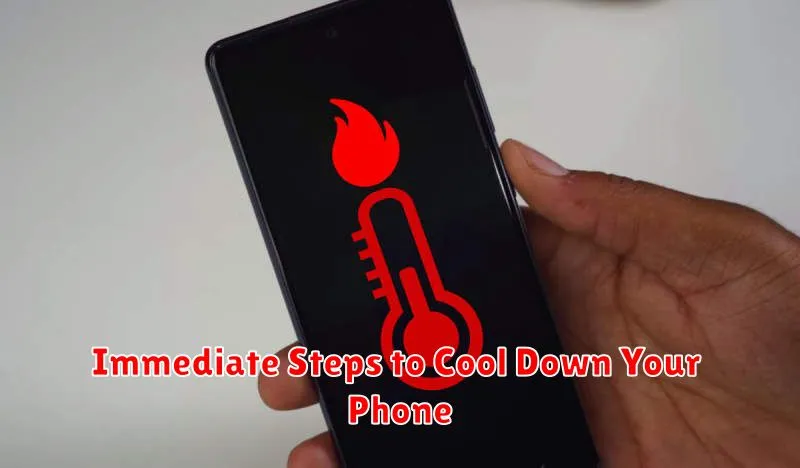
If your phone feels excessively hot, take these immediate steps to lower its temperature:
Stop Usage
Stop using your phone immediately. This includes closing demanding apps, games, and videos. Continued use will only exacerbate the heating issue.
Remove the Case
If your phone has a case, remove it. Cases, especially those made of insulating materials, can trap heat.
Find a Cool Spot
Move your phone to a cooler location, out of direct sunlight. Avoid placing it on heat-absorbing surfaces like dark fabrics or dashboards.
Turn Off Unnecessary Features
Disable features like Bluetooth, Wi-Fi, and location services if they are not in use. These features can contribute to background processing and heat generation.
Airplane Mode
If the overheating is severe, consider enabling Airplane Mode. This temporarily suspends all wireless communication, significantly reducing processing demands.
Preventing Future Overheating Issues
Proactive measures can significantly reduce the risk of your phone overheating. One key strategy is managing app usage. Close apps running in the background when not in use, especially demanding games or video streaming apps. Limit multitasking, as running numerous apps concurrently increases processor load.
Environmental factors also play a role. Avoid leaving your phone in direct sunlight or hot cars. When charging, choose a well-ventilated area and avoid covering the device. Using official chargers and cables is also crucial, as third-party accessories may not meet the necessary safety and performance standards, potentially contributing to overheating.
Software updates often include performance optimizations and bug fixes that can address overheating. Ensure your phone’s operating system and apps are up-to-date. Consider using battery-saving modes, which can limit background processes and reduce strain on the processor. Regularly clearing your phone’s cache and temporary files can also help optimize performance and prevent overheating.
Identifying Hardware or Software Problems
Sometimes, persistent overheating indicates an underlying hardware or software issue. Troubleshooting these problems can help determine the root cause.
Software-Related Issues
Check for rogue apps. Newly installed apps, especially those running in the background, can consume excessive processing power, leading to heat generation. Monitor your phone’s battery usage to identify any unusually power-hungry apps. Consider uninstalling recently added apps to see if the overheating subsides. Operating system updates can also introduce bugs that cause overheating. Ensure your phone’s OS is up-to-date, but be aware that very new updates sometimes have undiscovered issues.
Hardware-Related Issues
A failing battery can generate excessive heat. If your battery drains quickly or feels unusually warm to the touch, it may need replacing. Other hardware components, such as a malfunctioning processor or graphics chip, can also contribute to overheating. Physical damage to the phone, like a bent frame or damaged charging port, can interfere with heat dissipation. If you suspect a hardware issue, consult a qualified technician for diagnosis and repair.
Long-Term Solutions for Managing Phone Temperature
Managing your phone’s temperature long-term involves adopting habits that minimize heat generation. Battery health plays a crucial role. Avoid extreme temperatures when charging, and consider replacing a degraded battery. Using official chargers designed for your device ensures optimal charging and reduces stress on the battery. Regularly updating your operating system and apps can optimize performance and address any software-related heat issues.
Storage management is also important. Deleting unused apps and files frees up resources and can improve overall performance, reducing strain on the processor. Consider a phone case designed for heat dissipation if you frequently use demanding applications or live in a hot climate. Finally, be mindful of environmental factors. Avoid leaving your phone in direct sunlight, hot cars, or other excessively warm environments.
When to Seek Professional Help
While many instances of phone overheating can be resolved with simple troubleshooting, some situations require professional intervention. If you’ve tried the basic cooling methods and your phone continues to overheat, it’s time to seek expert help.
Signs you should contact a professional:
- Persistent Overheating: If your phone consistently overheats, even with minimal usage, it indicates a deeper issue.
- Physical Damage: Any physical damage to your phone, such as a cracked screen or bent frame, can compromise its internal components and contribute to overheating. Seek repair immediately.
- Battery Swelling or Leakage: A swollen or leaking battery is a serious safety hazard. Do not attempt to fix this yourself. Contact a professional or your phone’s manufacturer.
- Sudden Shutdowns: If your phone frequently shuts down unexpectedly, especially during use, it could be a sign of a failing component related to heat management.
- Overheating During Charging: While some warmth is normal during charging, excessive heat indicates a problem with the charging circuitry or battery.
Contacting a qualified technician or your phone’s manufacturer is crucial in these scenarios. Attempting DIY repairs can exacerbate the problem and potentially void your warranty.
Protecting Your Battery from Heat Damage
Excessive heat is a significant enemy of lithium-ion batteries, like the one in your phone. High temperatures can accelerate the chemical aging process within the battery, leading to a diminished capacity and shortened lifespan. This means your battery may not hold a charge as long and will eventually need replacing sooner than expected.
Avoid leaving your phone in direct sunlight, especially for extended periods. This includes places like a parked car dashboard on a sunny day, where temperatures can quickly soar. Even on cloudy days, the interior of a car can trap heat and significantly impact your phone’s battery.
Be mindful of charging habits. Charging itself generates heat, so avoid charging your phone underneath your pillow or blanket, which can insulate the device and prevent heat dissipation. Using the manufacturer-supplied or certified charging cable and adapter also helps minimize heat generation during charging.
