
Has your phone taken an unexpected swim? Did you accidentally spill a drink on it? Water damage can be a serious issue for smartphones, potentially leading to costly repairs or even complete device failure. This comprehensive guide provides a detailed explanation of how to detect water damage on your phone, offering practical tips and insights to help you assess the extent of the problem. Understanding the signs of water damage is crucial for taking prompt action and potentially saving your device. We will cover various indicators, from obvious physical signs to more subtle software glitches that could point to underlying water damage.
Learning how to effectively detect water damage is the first step toward mitigating its effects. This guide explores different methods to check for water damage on various phone models, including iPhones and Android devices. Whether you experienced a full submersion or a minor splash, understanding the potential consequences and knowing how to identify the signs of water damage can be invaluable. From checking the Liquid Contact Indicator (LCI) to recognizing performance issues related to water damage, this guide will empower you to take the right steps to protect your phone.
Visual Inspection for Water Damage Indicators
A visual inspection is the first step in determining if your phone has water damage. Look closely at the device for any obvious signs of exposure to liquids.
Discoloration or Staining: Check for any unusual discoloration or staining on the phone’s exterior. Water damage can sometimes leave behind faint marks or streaks, particularly in lighter-colored devices. Pay close attention to areas around ports and buttons.
Corrosion or Rust: Examine metallic parts, such as charging ports and headphone jacks, for signs of corrosion or rust. These are clear indicators of water exposure and can disrupt functionality.
Water Droplets or Condensation: Look for any trapped water droplets or condensation behind the screen or within the camera lens. While condensation can sometimes occur due to temperature changes, persistent moisture can suggest water damage.
Warped or Distorted Components: Check for any warping or distortion in the phone’s casing or screen. Prolonged exposure to water can cause certain materials to swell or deform.
Check the Liquid Damage Indicator (LDI)
Most modern smartphones include a Liquid Damage Indicator (LDI) designed to change color upon contact with water or other liquids. This small sticker is typically white or silver but turns a vibrant color (often red or pink) when exposed to moisture. Locating the LDI can vary depending on the phone manufacturer and model.
Common LDI locations include:
- Inside the SIM card tray slot.
- Near the battery compartment (for phones with removable batteries).
- Inside the headphone jack (for phones with headphone jacks).
- Behind the charging port cover.
To check the LDI, use a bright light and possibly a magnifying glass to inspect these areas. A color change on the LDI confirms water exposure. However, a pristine LDI does not necessarily guarantee the absence of water damage. Water may have entered the phone without reaching the indicator. Therefore, it’s crucial to consider other signs of water damage as well.
Test the Phone’s Functionality
After completing a visual inspection and checking the LDI, the next crucial step is to test the phone’s core functionalities. This will help determine the extent of any potential water damage. Begin by powering on the device. Observe if the phone starts up normally. If it does, proceed to test other functions.
Test the screen responsiveness. Tap and swipe across the screen to ensure it registers input accurately. Look for any dead spots or delays in response. Then, test the audio. Make a call or play music to check both the earpiece and speaker. Listen for any distortions, static, or muffled sounds. These could indicate water damage to the internal components.
Check the camera. Take photos and videos with both the front and rear cameras. Examine the resulting media for any blurriness, discoloration, or unusual artifacts. Lastly, test the phone’s other features like Bluetooth, Wi-Fi, and GPS to ensure they are functioning as expected. Any malfunction in these areas can suggest water damage.
Examine the Charging Port
The charging port is a common entry point for water and a critical area to inspect. Look closely for any signs of corrosion, discoloration, or debris within the port. A small flashlight can be helpful to illuminate the interior.
Corrosion often appears as a white, green, or rusty powder-like substance. Discoloration might manifest as darkening or unusual markings around the port’s metallic contacts. Any debris, such as sand or pocket lint, trapped inside combined with moisture can accelerate corrosion and further damage the port.
Be careful not to insert anything metallic into the charging port during your inspection, as this could potentially cause further damage. If you detect any of these signs, it’s a strong indicator of water damage.
Inspect the SIM Card Tray
The SIM card tray is another common entry point for water. Carefully remove the SIM tray using the appropriate tool or a small paperclip.
Look inside the SIM card slot for any signs of moisture or discoloration. A small Liquid Damage Indicator (LDI) is often located within the SIM card slot itself. Check this indicator for any color change, which signifies water exposure.
If you see any water or discoloration, gently dab the area with a clean, dry cloth. Avoid using cotton swabs as they may leave fibers behind.
Important: Do not insert the SIM card back into the slot if you detect any moisture. Allow the area to dry completely before reinserting the SIM card tray.
Listen for Unusual Sounds
One of the earliest and most easily detectable signs of water damage in a phone is the presence of unusual sounds. Distorted or muffled audio during calls can indicate water interference with the speaker or microphone.
Static or crackling noises emanating from the speakers, even when not in use, can also be a red flag. These sounds suggest that water has compromised the internal circuitry of the audio components.
Additionally, pay attention to any buzzing or whirring sounds coming from within the phone. These could signal damage to the vibration motor or other internal mechanisms due to water exposure.
Look for Corrosion or Rust
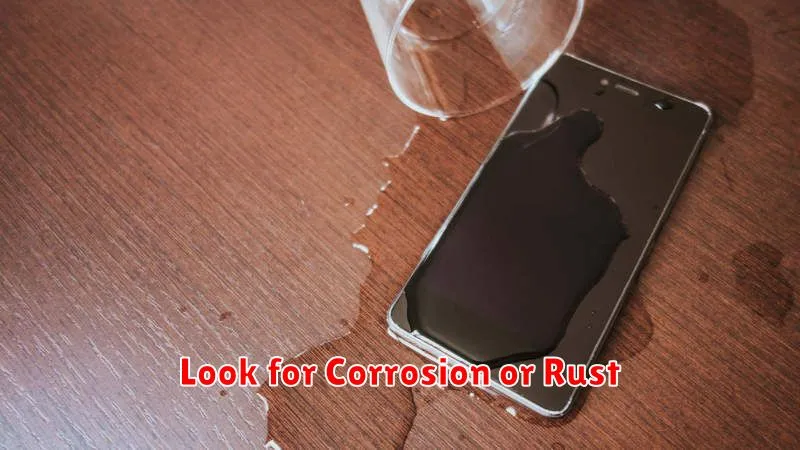
Corrosion and rust are clear indicators of water damage, especially on the metallic components of your phone. Carefully inspect the charging port, headphone jack (if present), SIM card tray, and any exposed screws. Look for any discoloration, powdery residue, or buildup that wasn’t present before.
Corrosion often appears as a greenish-blue or white powdery substance. Rust, on the other hand, is reddish-brown and flakier. Even small spots of corrosion or rust can signify internal damage and potentially affect your phone’s functionality. Pay close attention to the areas around the battery connectors if you can safely access them.
Finding corrosion or rust confirms water exposure. The extent of the damage might not be immediately apparent, but the presence of these signs warrants further investigation, potentially by a professional.
Seek Professional Help
If you suspect water damage, seeking professional help is crucial. Attempting DIY repairs can often exacerbate the problem. Authorized repair centers have specialized tools and expertise to diagnose the extent of the damage and perform the necessary repairs safely.
Contact the manufacturer or a reputable third-party repair service. Describe the incident and any observed symptoms. They can advise on the best course of action and provide a cost estimate for the repair.
Do not attempt to power on the phone if it is not already on. This can cause further electrical damage. Avoid using rice or other desiccants, as they are often ineffective and can introduce dust or debris into the phone.
Professional technicians can assess the damage to internal components, clean corroded parts, and replace any damaged elements. They can also advise on data recovery options if data loss has occurred.
