
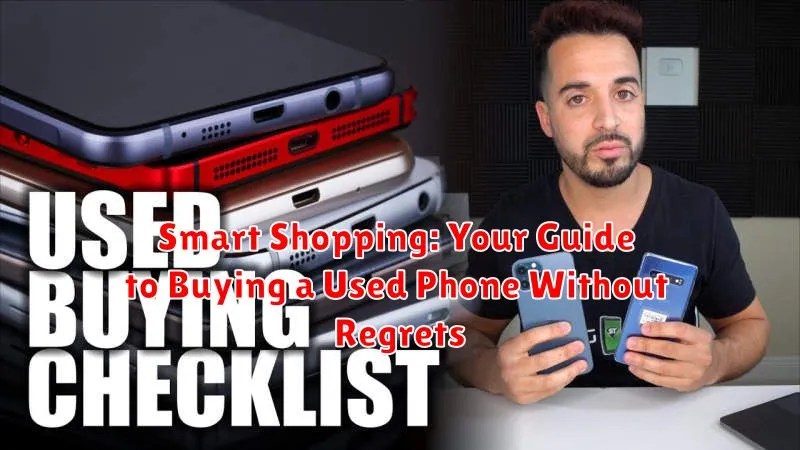
Considering purchasing a used phone? In today’s market, buying a pre-owned phone can be a savvy financial decision, offering access to high-quality devices at a fraction of the cost of new models. However, navigating the used phone market can be challenging. This guide, “Smart Shopping: Your Guide to Buying a Used Phone Without Regrets,” provides essential insights into the process of buying a used phone, ensuring you make an informed purchase and avoid potential pitfalls, ultimately leading to a satisfying used phone ownership experience.
From evaluating the condition of the used phone to understanding used phone warranties and assessing used phone prices, this comprehensive guide will equip you with the knowledge you need to confidently navigate the used phone market. We’ll explore crucial factors such as battery health, carrier compatibility, and storage options to ensure you select the best used phone to suit your needs and budget. Learn how to avoid scams and identify reputable sellers, maximizing your chances of a successful used phone purchase and avoiding future regrets. By following the advice outlined within, you’ll be well on your way to smart shopping for your next used phone.
Inspect the Phone’s Physical Condition
A thorough physical inspection is the first step in buying a used phone. Look for any signs of wear and tear that might indicate more than just cosmetic damage.
Screen: Carefully examine the screen for scratches, cracks, or discoloration. Even small scratches can worsen over time. Check for responsiveness and dead pixels by navigating through the phone’s menus.
Body: Inspect the phone’s casing for dents, chips, or bending. Pay close attention to the seams and edges, where damage is most likely to occur. A compromised casing could indicate internal problems.
Buttons and Ports: Test all the buttons (volume, power, home) to ensure they function correctly. Also, check that charging ports and headphone jacks are free from debris and function as intended. A loose or unresponsive button could be a sign of previous drops or internal damage.
Check for Water Damage
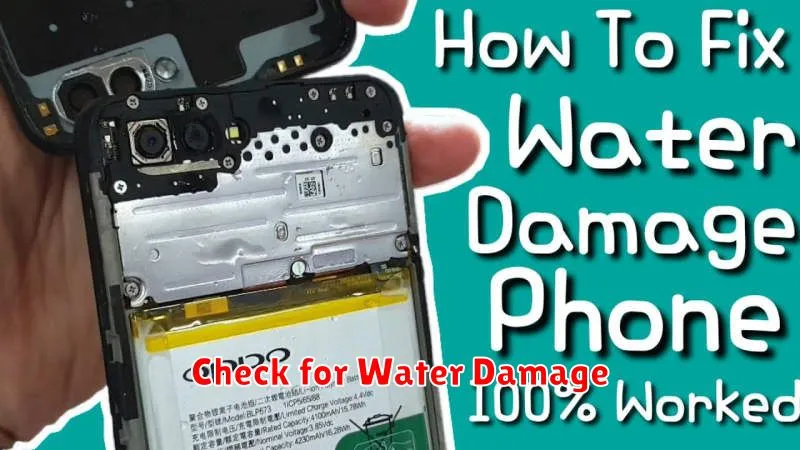
Water damage can be a serious issue for electronic devices, often leading to corrosion and malfunction. Carefully inspect the phone for any signs of water exposure.
Most modern smartphones include a Liquid Contact Indicator (LCI). This is a small sticker that changes color when exposed to moisture. Typically located inside the SIM card slot or near the charging port, the LCI will often turn red or pink if it has come into contact with water. Consult the manufacturer’s website to determine the specific LCI location for the phone model you’re inspecting.
Look closely for any discoloration, rust, or corrosion around ports and screws. These can be telltale signs of water damage. Be particularly vigilant around the charging port, headphone jack (if present), and SIM card tray.
Verify the IMEI Number
The IMEI (International Mobile Equipment Identity) number is a unique identifier for your phone. It’s crucial to verify this number to ensure the phone isn’t stolen or blacklisted. A blacklisted phone will have restricted network functionality, essentially rendering it useless.
Finding the IMEI is typically done by dialing *#06# on the phone’s keypad. Alternatively, you can usually find it within the phone’s settings menu, often under “About Phone” or a similar section. Write down this number.
Verification can be done through various online IMEI checker websites. These websites will inform you if the IMEI is reported stolen or blacklisted. This step is essential for protecting yourself from purchasing a problematic device.
Matching the IMEI. Ensure the IMEI displayed on the phone’s screen, the one found in its settings, and the one printed on the device’s packaging (if available) all match. Any discrepancies should raise a serious red flag.
Test the Core Features
Testing the core functionalities of a used phone is crucial before making a purchase. This hands-on assessment will give you confidence in the device’s operational integrity.
Screen Responsiveness: Navigate through menus, open apps, and type messages. Ensure the touch screen responds accurately and swiftly to your input. Look for any dead pixels or discoloration.
Call and Speaker Functionality: Make a test call to evaluate both the earpiece and speakerphone quality. Listen for clarity and adequate volume.
Camera Performance: Take photos and videos with both the front and rear cameras. Examine the image quality, focusing speed, and flash functionality.
Connectivity: Verify Wi-Fi, Bluetooth, and cellular data connectivity. Connect to a Wi-Fi network and browse the internet. Pair the phone with a Bluetooth device.
Buttons and Ports: Test all physical buttons (volume, power, etc.) and ensure they are responsive. Check that charging and headphone ports function correctly.
Assess Battery Health
A healthy battery is crucial for a good user experience. Check the battery health in the phone’s settings. Most modern smartphones provide a battery health percentage or status indicator. A higher percentage generally indicates a healthier battery capable of holding a charge effectively.
If the battery health percentage is significantly low (e.g., below 80%), be prepared for reduced usage time between charges and potentially needing a replacement soon. Negotiate the price accordingly. While a lower percentage isn’t necessarily a deal-breaker, it’s a factor to consider when evaluating the overall value of the used phone.
Observe charging behavior. Does the phone charge quickly? Does it overheat while charging? Unusual charging patterns might indicate a battery problem. If possible, briefly test the phone while it’s charging and discharging to observe its performance. Look for any sudden drops in battery percentage or unexpected shutdowns.
Inquire About the Phone’s History
Understanding the phone’s past is crucial to avoiding future problems. Don’t hesitate to ask the seller specific questions about the device’s history. This will not only help you assess the phone’s condition but also the seller’s trustworthiness.
Key questions to ask:
- How long have you owned the phone?
- Why are you selling it?
- Has the phone ever been repaired?
- Has it ever been exposed to water or other damage?
- Are there any known issues with the device?
Be wary of vague answers or a reluctance to provide details. Honest sellers will be upfront about the phone’s history. If something feels off, trust your instincts and consider walking away.
Negotiate the Price
Once you’ve assessed the phone’s condition and history, it’s time to negotiate the price. Don’t be afraid to make a reasonable offer, especially if you’ve identified any minor flaws or wear and tear.
Research prevailing market prices for the specific phone model in similar condition. Websites and online marketplaces can provide valuable insights. Having this data at your fingertips strengthens your negotiating position.
Politely explain the rationale behind your offer. For instance, mentioning the need for repairs or highlighting comparable prices can justify a lower offer. Be prepared to compromise. Negotiating involves finding a mutually acceptable price, so be flexible within your budget.
Avoid being emotionally attached to the phone. If the seller is unwilling to negotiate within a reasonable range, be ready to walk away. There are plenty of other used phones available.
Ensure Proper Documentation
Verify the seller’s identity. Ask for a valid government-issued ID and compare it to the name registered to the phone (if possible). This helps protect you against stolen devices.
Request a bill of sale that clearly outlines the phone’s make, model, IMEI number, agreed-upon price, and the date of purchase. This document is crucial for future transactions or if any disputes arise.
If the phone is unlocked, ensure you receive the original unlocking documentation. This proves it wasn’t unlocked through unofficial, potentially harmful methods.
A receipt of the original purchase, though not always available, provides added verification of the phone’s legitimate ownership history and can be useful for warranty claims, if applicable.
