
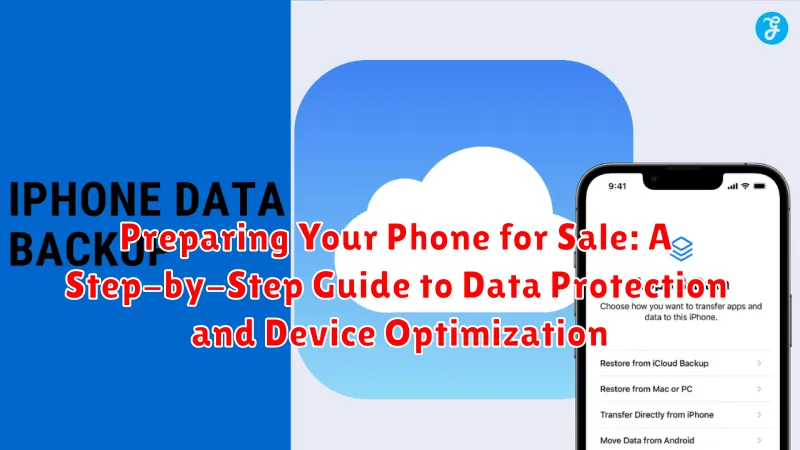
Preparing your phone for sale involves more than just wiping it clean. It requires a methodical approach to ensure data protection and device optimization. This comprehensive guide provides a step-by-step process to prepare your phone for sale, covering everything from backing up your precious data to factory resetting your device and ensuring optimal performance for the next owner. Learn how to maximize your phone’s resale value while safeguarding your personal information with our expert advice on data security, device optimization, and phone preparation.
Selling your phone? Don’t risk your privacy! Our guide offers invaluable insights into the crucial steps necessary for securely wiping your device and preparing it for a new user. We’ll walk you through the process of backing up your data, removing your accounts, and performing a factory reset to ensure a clean slate. We also address optimizing device performance and presentation to attract potential buyers and command the best price. Follow our step-by-step guide to confidently and safely sell your phone, maximizing your return while minimizing potential risks.
Backing Up Your Important Data
Before wiping your phone, it is crucial to back up all important data to prevent permanent loss. There are several methods to secure your information.
Cloud Backup
Utilizing cloud services is a convenient way to back up a large amount of data. For Android users, Google Drive is often the default option, while iCloud is standard for iOS devices. Ensure your cloud backup is enabled and up-to-date.
Computer Backup
Connecting your phone to your computer and backing up your data manually is another reliable method. This allows for a direct transfer of files and often includes options to back up specific data types, such as photos, videos, and contacts.
Memory Card Backup
Although less common now, some devices still utilize external memory cards. You can transfer important files to your memory card as an additional backup measure. Remember to safely remove the card after the transfer is complete.
Wiping Your Phone’s Data and Restoring Factory Settings
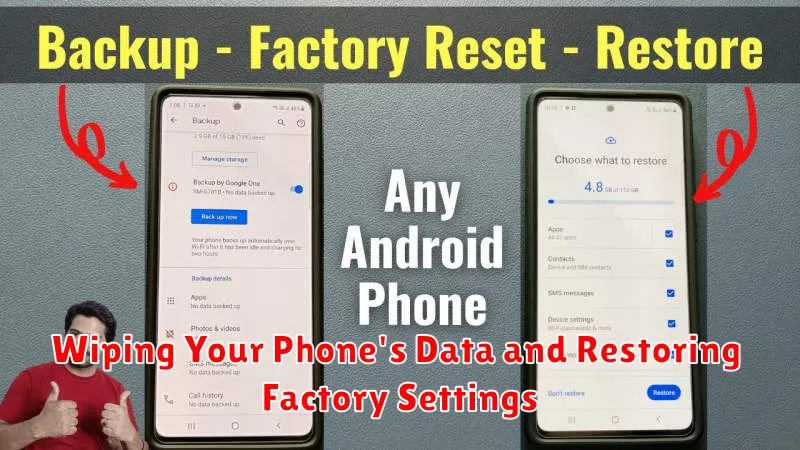
This crucial step ensures your personal information is completely erased from the device before it changes hands. A factory reset returns the phone to its original state, as if it was brand new.
The process for wiping your phone varies depending on the operating system (OS) and manufacturer. Generally, you can find the factory reset option within the Settings menu, usually under a category like “System,” “General Management,” “Backup & reset,” or similar. Look for options labeled “Factory data reset” or “Reset phone.”
Before proceeding, double-check that you have backed up all necessary data. This process is irreversible, and all data on your phone will be deleted.
Once you’ve initiated the factory reset, your phone will restart and go through the process of erasing all data and restoring the factory settings. This may take several minutes. Do not interrupt the process. After completion, your phone will restart again and present the initial setup screen, just like it did when it was new.
Removing Your SIM Card and Memory Card
Removing your SIM card and memory card is a crucial step before selling your phone. This ensures your personal information tied to the SIM card, such as your phone number and contacts, remains private. It also prevents the buyer from accessing any personal data stored on your memory card.
Most phones have a small tray that houses the SIM and memory card. You’ll typically need a SIM ejector tool (often included with the phone’s original packaging) or a small, straightened paperclip to open this tray. Gently insert the tool into the small hole on the tray and push until it pops out. Carefully remove both the SIM card and memory card (if present).
Important: Store your SIM card and memory card in a safe place. You may need them for your new device or to transfer data later.
Deactivating Your Google Account and iCloud Account
Before selling your phone, it’s crucial to deactivate your accounts to protect your personal information. This involves signing out of your Google account on Android devices and your iCloud account on iPhones.
Android (Google Account)
Deactivating your Google account ensures the new owner won’t have access to your emails, contacts, and other data synchronized with your Google account. This also prevents issues with the Factory Reset Protection (FRP). In your phone’s settings, navigate to “Accounts” and select your Google account. Choose “Remove account” to complete the process.
iPhone (iCloud Account)
Similarly, signing out of your iCloud account on your iPhone safeguards your photos, messages, and other data stored in iCloud. This also disables the “Find My iPhone” feature, which is essential for the new owner to be able to use the device freely. Go to “Settings,” tap your name at the top, and scroll down to “Sign Out.”
Unpairing Connected Devices and Disabling Bluetooth
Before selling your phone, it’s crucial to unpair it from any connected devices. This prevents the new owner from accessing your information through these connections.
Start by unpairing any Bluetooth devices, such as headphones, smartwatches, or car systems. The process may vary slightly depending on your phone’s operating system, but generally involves going to your phone’s Bluetooth settings and selecting the paired device you wish to remove. Look for an option like “Forget” or “Unpair.” Repeat this process for all connected Bluetooth devices.
Next, consider other connected devices. This might include smart home devices or other accessories. Consult the respective device’s instructions for unpairing procedures if needed.
Finally, disable Bluetooth altogether. This provides an extra layer of security and prevents unintended connections after the phone is reset.
Checking for and Removing Any Screen Locks or Passwords
Before selling your phone, it’s crucial to remove any screen locks or passwords. This ensures the new owner has full access to the device and avoids potential complications.
First, identify what type of screen lock you have enabled. This could be a PIN, pattern, password, fingerprint scan, or facial recognition.
Next, navigate to your phone’s settings to remove the lock. The specific steps may vary slightly depending on your phone’s operating system and manufacturer. Generally, you’ll find these settings under “Security” or “Lock Screen”.
Carefully follow the on-screen prompts to disable your chosen security method. This usually involves confirming your current PIN, pattern, or password before the lock is removed.
After removing the screen lock, test the change by attempting to access your phone. You should be able to access the home screen and other features without any prompts for security input.
Cleaning Your Phone and Ensuring it’s in Good Physical Condition

A clean phone presents better and suggests you’ve taken good care of the device. Begin by powering off your phone completely. This is a crucial safety precaution before cleaning.
Use a soft, slightly damp (not wet) microfiber cloth to wipe down the entire surface of the phone. Pay particular attention to the screen, removing any fingerprints or smudges. For stubborn grime, consider using a specialized screen cleaning solution designed for electronics. Avoid using abrasive cleaners or paper towels, as these can scratch the delicate surfaces.
Inspect your phone for any physical imperfections. Minor scratches and scuffs are expected, but significant damage should be noted in your sales listing. Check all ports and buttons for functionality, ensuring they are free of dust and debris. A can of compressed air can be helpful for clearing out hard-to-reach areas.
Finally, assess the overall condition of the battery. While you don’t need to replace the battery unless it’s significantly degraded, it’s helpful to indicate its general health in your listing. For example, noting whether the battery holds a charge well or drains quickly can give potential buyers a realistic expectation of its performance.
Gathering Original Accessories and Packaging
Presenting your phone with its original accessories and packaging significantly enhances its resale value and gives potential buyers confidence in its legitimacy. Locate the original box, if possible, as this provides the best protection during shipping and demonstrates that the device was purchased legitimately.
Essential accessories to include are the charging cable and power adapter. If your phone originally came with earphones or other accessories, including those will further increase its perceived value. Even small additions like the SIM ejection tool contribute to a complete package.
If you no longer have the original accessories, consider including compatible replacements, but be sure to clearly state that they are not the originals. While not ideal, providing alternative accessories is often preferable to having none at all. A complete package presents a more professional and appealing offer to prospective buyers.
