
Is your phone sluggish, apps crashing, or multitasking a nightmare? These are common signs of insufficient Random Access Memory (RAM). RAM is your phone’s short-term memory, crucial for running apps, storing temporary data, and enabling smooth performance. When your RAM is full, your phone struggles. Fortunately, clearing RAM on your phone is a simple process that can significantly boost performance and enhance your mobile experience. This article will guide you through various effective methods to free up memory and keep your phone running optimally.
Learning how to clear RAM is essential for maintaining a responsive and efficient device. Whether you have an Android or iOS device, understanding the techniques to manage RAM empowers you to take control of your phone’s performance. By periodically freeing up memory, you can avoid frustrating lags, improve app responsiveness, and extend the overall lifespan of your device. Let’s explore the practical steps to reclaim valuable RAM and optimize your phone’s performance.
Understanding RAM and Its Importance
Random Access Memory (RAM) is your phone’s short-term memory. It’s the workspace where apps and processes currently in use reside. Unlike storage, which holds files and apps even when the phone is off, RAM is volatile, meaning its contents are erased when the device is powered down.
The more RAM a phone has, the more apps and processes it can handle simultaneously without slowing down. When RAM gets full, the phone starts to feel sluggish as it struggles to manage all the active tasks.
Think of it like a desk. A larger desk (more RAM) gives you more space to work on multiple projects simultaneously. A smaller desk (less RAM) limits how much you can spread out before things become cluttered and inefficient.
Clearing RAM essentially wipes the desk clean, closing down processes and freeing up space for new tasks. This results in a smoother, more responsive user experience.
Signs Your Phone Needs RAM Clearing
Several key indicators can signal that your phone’s RAM is overloaded and requires attention. Recognizing these signs can help you maintain optimal performance.
Performance Degradation
Sluggishness is a primary symptom. Apps may take longer to open, or transition between apps may be slow and jerky. General unresponsiveness, even with simple tasks, suggests your RAM is struggling.
App Crashes
If apps are crashing frequently or unexpectedly closing, it could indicate insufficient RAM. The system may be forcibly closing apps to free up resources.
Overheating
A phone that is excessively hot, even without intensive use, can be a sign of RAM overuse. The processor is working harder to manage memory, leading to increased heat generation.
Lagging Animations
Stuttering or delayed animations within the user interface point towards RAM limitations. The system is struggling to allocate resources for smooth visual transitions.
Built-in Methods for Clearing RAM
Most modern smartphones offer built-in functionalities to manage RAM usage and free up memory. These methods often vary slightly depending on the phone’s operating system and manufacturer. Here are some common approaches:
Accessing the Recent Apps Menu
Many phones provide a dedicated button or gesture to access recently used apps. This menu typically displays thumbnails of active or recently used applications. From this menu, you can often individually close apps to free up RAM. Some devices even offer a “Close All” option to quickly clear all running apps.
Utilizing Device Care Features
Some manufacturers include “Device Care” or similar utilities within their operating systems. These utilities often include RAM management tools, which might be labeled “Optimize,” “Memory Boost,” or “Clean Up.” Using these features can help clear unnecessary processes running in the background.
Restarting Your Device
While not specifically a RAM clearing feature, restarting your phone can effectively clear the RAM and give your device a fresh start. This is often a helpful troubleshooting step when other methods fail to improve performance.
Using Third-Party Apps (with Caution)
While many third-party apps advertise RAM-clearing capabilities, they should be approached with caution. Some of these apps can be ineffective or even detrimental to your phone’s performance.
How these apps claim to work: Many such apps claim to free up RAM by force-stopping background processes. While this may temporarily increase available RAM, it can disrupt system functions and lead to increased battery drain as the system restarts stopped processes.
Potential Risks: Some apps may contain malware or excessive advertising, impacting your phone’s security and usability. Furthermore, constantly using these apps can train your phone to aggressively close necessary background processes, leading to worse performance in the long run.
Recommendation: It’s generally not recommended to rely on third-party RAM-clearing apps. Your phone’s operating system is designed to manage RAM efficiently. Focus on the built-in methods and regular habits for optimal performance.
Regular Habits to Keep Your RAM Clean
Integrating simple habits into your phone usage can significantly impact its RAM management and overall performance. By being mindful of app usage and storage, you can minimize RAM strain and keep your phone running smoothly.
Manage App Usage
Close unused apps regularly. Leaving apps running in the background unnecessarily consumes RAM. Develop the habit of closing apps you’re not actively using.
Limit multitasking. While modern phones can handle multiple apps, excessive multitasking can overload RAM. Try to focus on one or two tasks at a time.
Storage and Updates
Manage your storage. A full or nearly full storage can hinder RAM performance. Regularly delete unnecessary files, photos, and videos to free up space.
Update your phone’s operating system. System updates often include performance improvements and bug fixes that can optimize RAM usage.
Update your apps. App developers frequently release updates that improve efficiency and reduce their RAM footprint. Ensure your apps are up-to-date.
Clearing RAM vs. Freeing Up Storage Space
It’s important to understand the distinction between clearing RAM and freeing up storage space. These two processes affect different parts of your phone and serve different purposes.
RAM (Random Access Memory) is your phone’s short-term memory. It holds data that actively running apps are using. Clearing RAM closes these processes, freeing up memory for other tasks. This action improves performance and responsiveness.
Storage space, on the other hand, refers to the permanent memory on your phone, like the hard drive on a computer. This is where apps, photos, videos, and other files are stored. Freeing up storage space involves deleting files to create more room. This process doesn’t directly affect the speed of your phone in the same way clearing RAM does, but having sufficient storage prevents performance slowdowns when installing apps or saving files.
Think of it this way: RAM is like your desk space, where you work on current projects. Clearing RAM is like clearing your desk at the end of the day. Storage is like your filing cabinet, where you store completed projects and other important documents. Freeing up storage space is like shredding old files you no longer need.
The Impact of RAM on Battery Life

RAM usage directly impacts your phone’s battery life. When your phone runs many applications or processes simultaneously, it occupies more RAM. This increased RAM usage forces the processor to work harder, consuming more power and thus draining the battery faster.
Conversely, when less RAM is in use, the processor’s workload decreases, leading to lower power consumption and improved battery life. Think of it like a car engine: the more weight you carry, the harder the engine has to work and the more fuel it consumes. Similarly, the more processes running in RAM, the harder the phone’s processor works and the more battery power it uses.
Therefore, managing RAM effectively is crucial for extending your phone’s battery life. While completely closing unused apps can help, it’s essential to understand that the system also utilizes RAM for essential functions. Aiming for a balance between running necessary applications and keeping RAM usage reasonable is key for optimal battery performance.
Does Clearing RAM Delete Data?
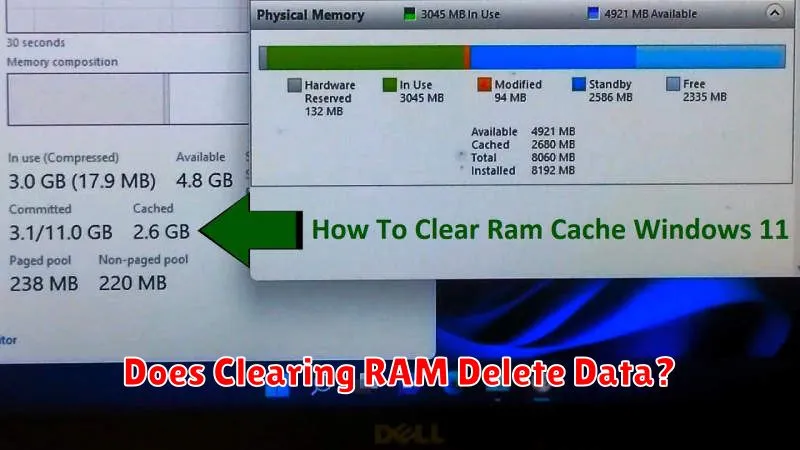
Clearing RAM does not delete your personal data. It’s important to understand the distinction between RAM and storage. RAM (Random Access Memory) holds data that actively running apps are using. Think of it as your phone’s short-term memory. When you clear RAM, you’re essentially closing these active processes and freeing up that memory space.
Your personal data, such as photos, videos, documents, and app data, is stored in your phone’s internal storage or on an SD card. This is long-term memory. Clearing RAM has no impact on this stored data. It’s like closing a book – the information within the book remains, even though you’re no longer actively reading it.
